Capture the task behind each request
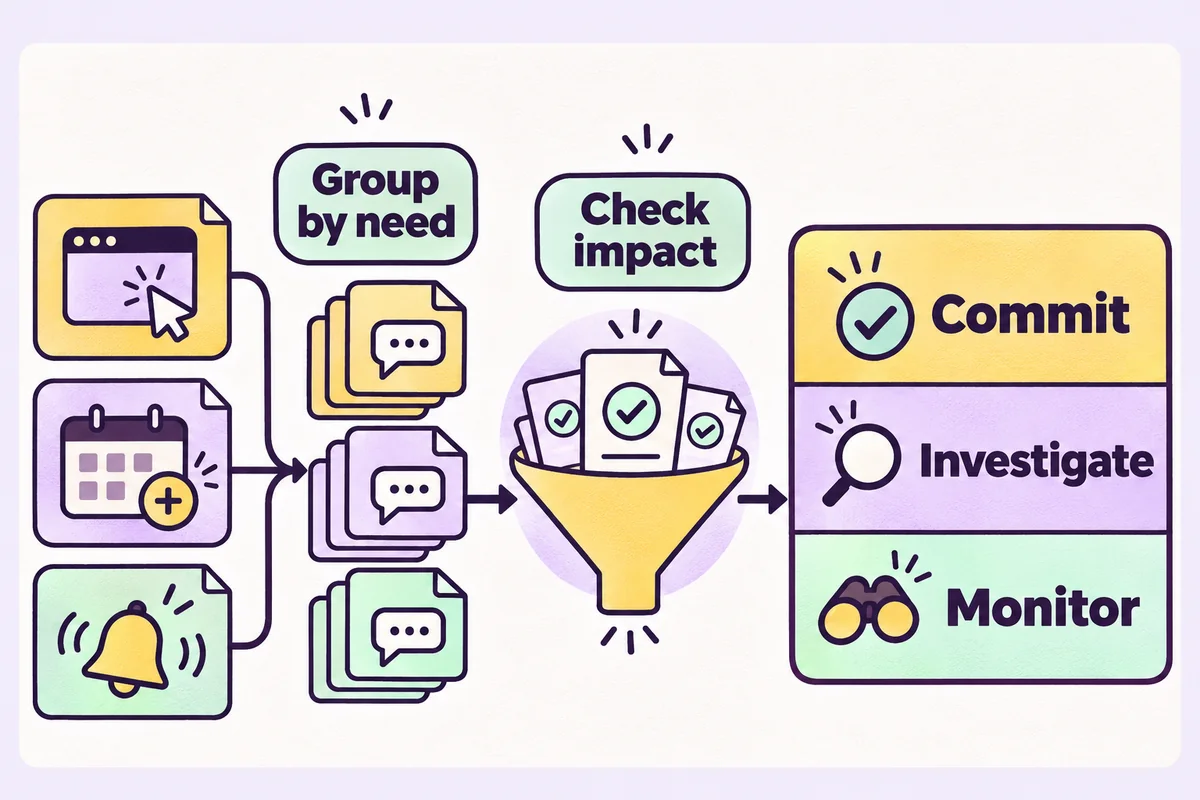
Ask “What are you trying to get done?” and “How do you handle that today?” A user asking for a new button might be trying to avoid a slow workaround. Record the page or workflow, how often the problem comes up, and what completing the task would look like.
In Relay, send requests from a website widget or hosted form to the same inbox. On Starter and Business, a custom widget shortcut lets users open the form as soon as they hit a workaround. Use the category view to review feature requests, or use Group by → Similar issues to find likely matches by feedback text in the latest 100 reports. Open the individual reports and check whether each person is describing the same task and obstacle.
Write each problem statement as a sentence with a user, a task, and a constraint. For example, “Operations leads prepare a weekly report for teammates who cannot access the dashboard, so they copy figures into a separate document.” Keep the original language next to the summary and limit personal details to the private report.
Compare requests using the same questions
Write a short problem statement for each group and review the questions below in a consistent order. Record the evidence you have alongside gaps you want to close. A lightweight note is enough for the next review.
- Impact. Is an important task blocked, or is there a workable path that adds time or effort?
- Reach. Who encounters the problem and how often do they do the task? Look for repeated reports from different people and across relevant workflows.
- Fit. Would solving the problem help a user group or workflow the team is responsible for improving this cycle?
- Effort. What is the smallest change you could test, and what dependencies or ongoing maintenance would it introduce?
Read report counts alongside the details
Relay groups show total submissions, distinct reporters based on the email addresses people shared, and a separate count of reports without contact details. Treat the last count as submissions whose authorship is unknown. Read the reports to see what each adds, such as a different workflow or a workaround that breaks under certain conditions.
Use feedback volume as evidence for a decision. A smaller group can deserve attention if it describes a blocked workflow your team is working to improve. When impact is unclear, speak with a reporter who offered contact details or ask support what users tend to do when they encounter the problem.
Check whether one customer or one reporting channel dominates a group. If a request tends to come through support, ask the support team for representative examples from that channel. Write down when the evidence depends on one workflow or account type so that the team can revisit it when broader feedback arrives.
Example of a weekly reporting request
One customer asks for an export button on the dashboard. Another asks for a weekly email with the same report. Reading both descriptions reveals that each person prepares a weekly summary for teammates who do not use the dashboard. A third request asks for CSV export for reconciliation. That request concerns a different task and should be reviewed separately.
The team is already working on making reporting easier. It assigns someone to check which fields belong in the weekly summary, who needs access, and whether customers would accept a shareable snapshot. The next review can compare a small prototype with the two proposed features. The team can judge the prototype by whether an intended recipient can read the summary and the sender can complete their weekly handoff.
An example decision note would read, “Investigate the weekly handoff. Product owns a review of the required fields and recipient access next Friday. We’ll schedule a prototype if a shareable summary meets both needs.” The CSV request stays separate with its own reconciliation context.
Run a repeatable request review
At a regular review, bring a short list of new problem groups and any previously deferred request with new evidence. Give everyone the same view of the original reports. Start with requests that affect a current product goal, then surface newly blocked tasks and hard-to-reverse changes.
- Confirm the problem statement and split groups whose reports describe different tasks.
- Record the strongest evidence and the biggest gap for each decision.
- Choose Commit, Investigate, or Monitor and assign one owner for the next action.
- At the next review, check whether the action happened and what information it produced.
Close the triage loop
For each group, write down the problem, the chosen next action, who owns it, and the date or new evidence that will trigger another review. When the team schedules work, carry the problem statement and representative reports into an issue or card in the tool where it plans work. If someone provided an email and expects a reply, tell them what the team decided and when they can expect another update.
Choose a next step for each request group
| Decision | When it fits | What to record |
|---|---|---|
| Commit | The problem is well evidenced, fits the current goal, and has a manageable first release. | Scope, an owner, and how you will verify the outcome. |
| Investigate | The need looks important, with an open question about impact, reach, or feasibility. | A specific question, who will answer it, and the next review date. |
| Monitor | The issue has a workable path or the evidence is too limited to take action this cycle. | The evidence that would bring the request back to review. |